
Shifting Academic Focus
In late June, Digilent attended the American Society of Engineering Education (ASEE) Annual Conference. We’re no strangers to the event, and have been proud to show off our latest teaching products and connect with educators and leadership from universities around the country for years. This year was right in line with the host city of Portland, Oregon – a bit weird. For the first time since our parent company, NI, announced that Digilent will be their new education brand, we actually had booth staff from NI helping us out. It actually ended up being pretty great, as they helped us hammer home the messaging on how universities can benefit from both Digilent and NI. Earlier this year, NI announced that they will be discontinuing their venerable myDAQ, myRIO, and ELVIS III products to make way for Digilent’s options for engineering education – the Analog Discovery 3, Analog Discovery Studio, Basys 3, and many others.
The Journey from WaveForms to LabVIEW
While we (Digilent) welcome the opportunity to show the incredible work of our R&D team to the world, we know we just can’t run the whole academic gamut from Introduction to Circuits to advanced, graduate courses in RF Security or Mechatronics. We’re viewing education as a spectrum. When you arrive as a bright-eyed, bushy-tailed freshman in Electrical and Computer Engineering, easy-to-use and easy-to-get-started Analog Discovery devices are like manna sent from the higher education gods. To boot, they have also been great in allowing the implementation of remote and hybrid learning environments.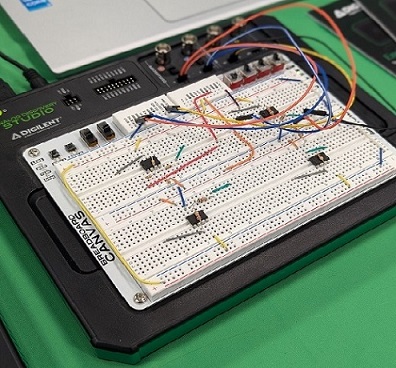
For example, one of the demos we were running at our booth was a simple Op Amp setup, shown above. This allows students to practice the theory they study in lectures in a practical lab setting. The ADS is running via USB to a laptop, and by manipulating I/O levers within the WaveForms workspace (below), students can monitor the signals. This is great for any student who is learning the ropes of electrical engineering or signal measurement. By the same token, for Digital Logic classes, introductory development boards like the Basys 3 or Nexys A7 give a hands-on way to learn that logic with LED counters, buttons, and switches that help to synthesize the material.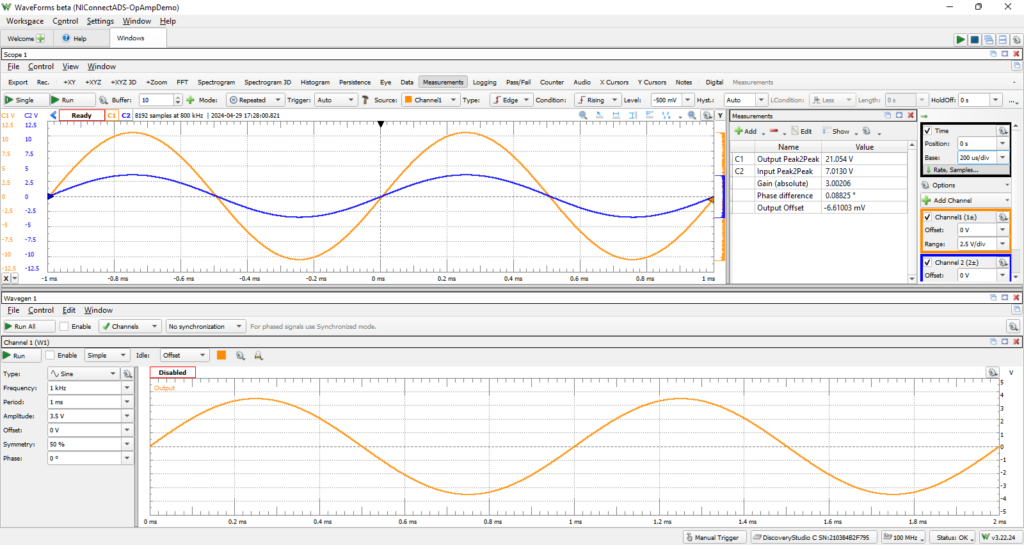
The thing about education – and the real world, in general – is that there are so many applications and end points for engineering and technology. The above examples, however useful they are to folks in ECE courses, might be too “in the weeds” for a civil or biomedical engineering student who simply doesn’t need to know all of the details of the theory behind signal acquisition and measurement. These students are more interested in the way these signals get used. This is where NI’s popular LabVIEW software comes in.
Using LabVIEW in the Classroom
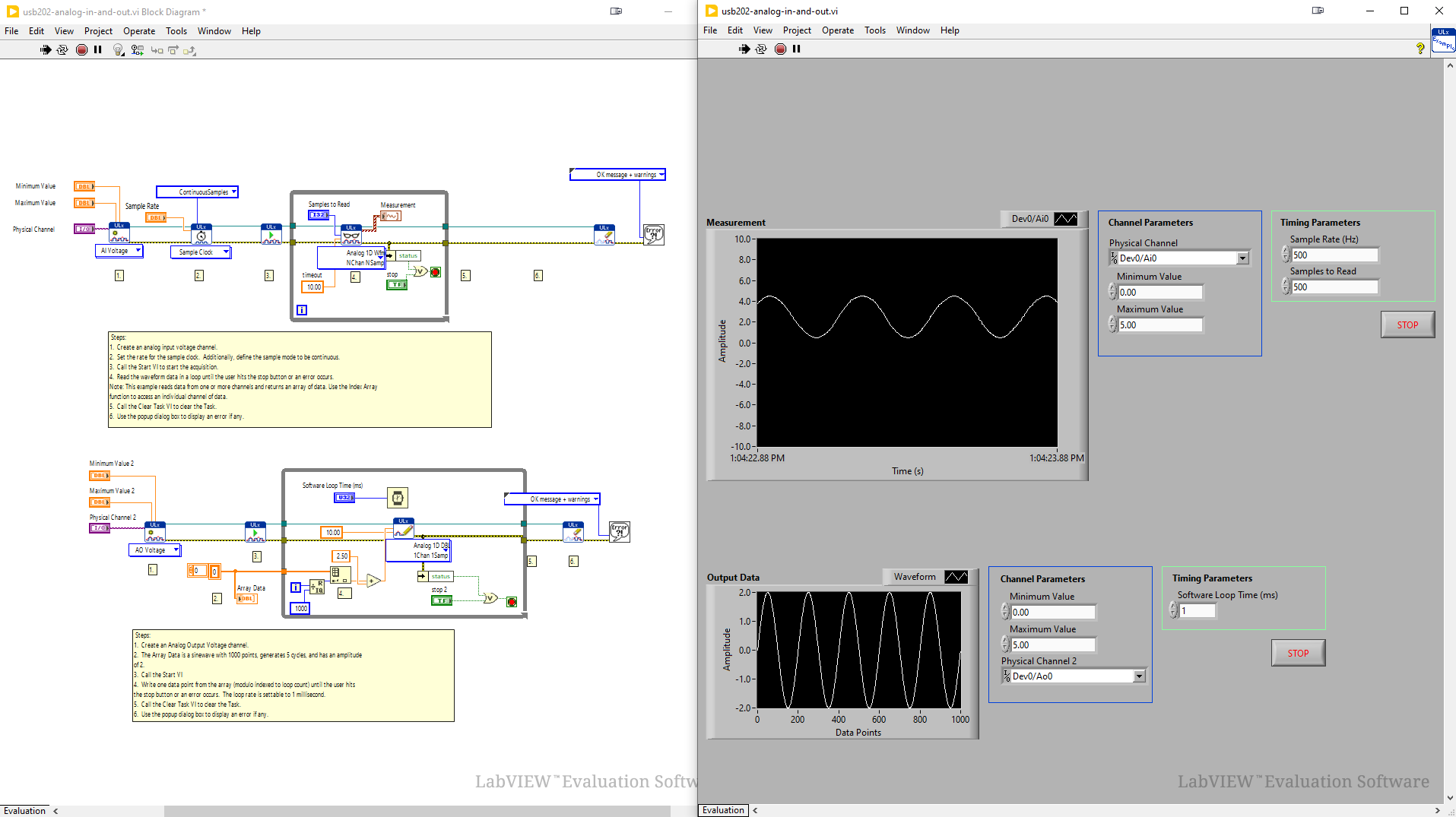
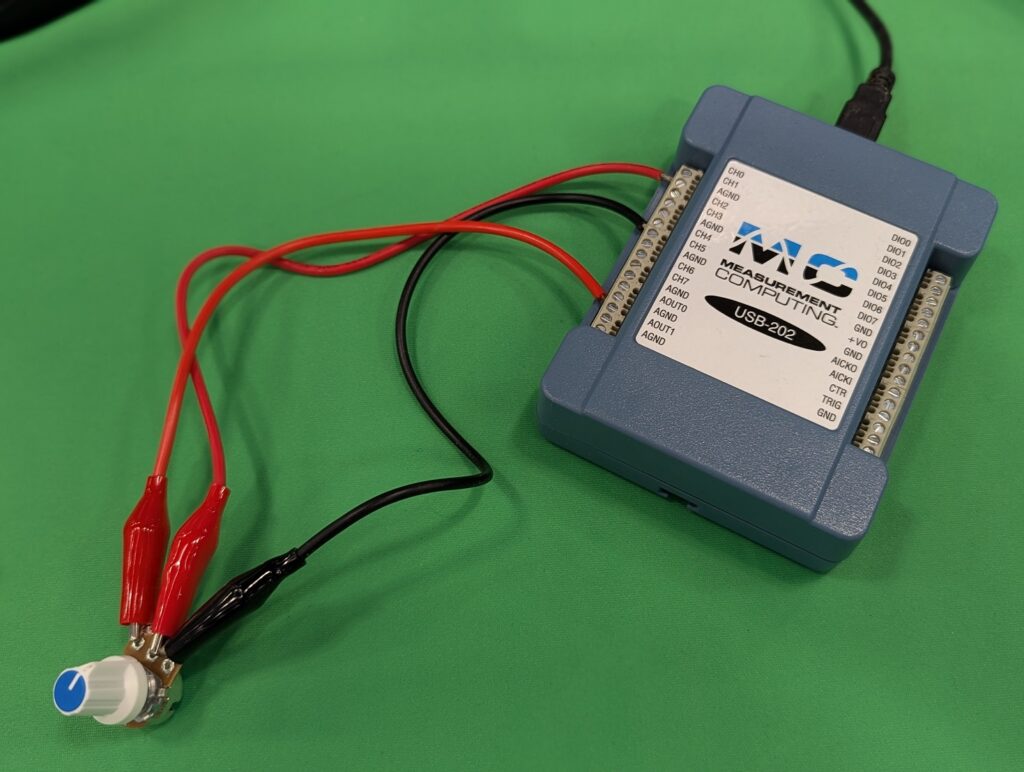
At ASEE, our second demo involved connecting a potentiometer via analog output to the MCC USB 202, which is a low-cost USB-based data acquisition instrument. It was controlled by LabVIEW, which produced a sine wave that the potentiometer divided down the amplitude of, then recorded it back. Check out the images below.
It’s also worth noting that you can use LabVIEW with our Analog Discovery devices. Check out our reference center and simply select which product you’d like to connect to LabVIEW.
WaveForms vs. NI’s LabVIEW, at a Glance
WaveForms is your intuitive launchpad into electronics. It’s a user-friendly software that comes bundled with several Analog Discovery instruments, like the Analog Discovery 3 and Analog Discovery Studio, offering a clear and concise interface perfect for beginners. Here’s what you can achieve with WaveForms:
- Visualize electrical signals: easily view waveforms like voltage, current, and signals in real-time.
- Experiment with basic circuits: connect your Analog Discovery to various components and actively control them through WaveForms.
- Perform basic measurements: measure key electrical parameters like voltage, current, and frequency.
- Master foundational concepts: WaveForms is a fantastic tool for grasping core electrical engineering concepts through hands-on exploration.
NI’s LabVIEW, by contrast, is about unleashing advanced programming power. It’s a graphical programming language widely used by engineers — a powerful toolkit for building complex systems. Instead of writing lines of code, LabVIEW uses icons and wires to represent functions and data flow, saving development time by letting you drag and drop pre-packaged commands rather than working out the numbers and formulas a measurement would otherwise require by hand. Here’s what you can achieve with NI’s LabVIEW:
- Build custom applications: utilize LabVIEW’s vast library of functions to create programs tailored to your specific needs.
- Automate complex tasks: develop programs that can control instruments, analyze data, and automate repetitive processes.
- Interface with hardware: NI’s LabVIEW seamlessly integrates with various hardware devices, including our Analog Discovery instruments.
- Design advanced projects: LabVIEW’s capabilities are ideal for tackling advanced projects in data acquisition, control systems, and more.
WaveForms and NI’s LabVIEW cater to different learning stages, but they can work beautifully together. Master the basics with WaveForms, then transition to LabVIEW to build on that foundation. Some Digilent instruments even let you use WaveForms alongside NI’s LabVIEW for enhanced control over data flow and to quickly implement more complex processing schemes.


