Most parts of engineering work are fairly flexible at this point.
You can review schematics from anywhere, push firmware changes without being tied to a specific location, and work through issues with teammates over a call without much extra coordination. That side of the workflow is pretty straightforward now.
Hardware is a bit different.
If you’re bringing up a new board, modifying a design, or troubleshooting something that requires hands-on interaction, being in the lab is expected. That comes with the job. The disconnect shows up in the smaller, routine tasks that come up during normal iteration.
Verifying a voltage rail after a minor change, checking whether a firmware update actually fixed a timing issue, capturing a quick SPI or I2C transaction, rerunning a measurement to confirm what you saw earlier, grabbing a waveform for documentation, these are all quick checks.
Individually, they take a few minutes. In practice, they still tend to require being at the bench.
The Part That Doesn’t Really Scale
In many labs, setups are built around physical access to a specific system. A bench is tied to a machine, instruments are connected locally, and access is shared.
That works fine when everyone is in the same place and timing lines up. It starts to become a problem when more than one person needs the same setup, someone is working remotely, or a quick check turns into figuring out whether the system is free and still set up the way you expect.
At that point, the actual measurement isn’t the issue. Getting access to the setup is.
Make Existing Setups Easier to Reach
Most teams don’t try to redesign their lab to fix this. They just make their existing setups easier to use.
A common approach is to leave hardware connected to a dedicated system, control everything through software instead of separate front panels, and access that system remotely when needed. Even a simple setup like that makes a noticeable difference.
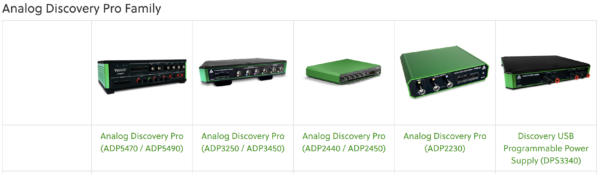
This is where tools like Analog Discovery Pro fit in pretty naturally. The hardware connects over USB, and everything runs through /reference/software/waveforms, so the scope, logic analyzer, waveform generation, and protocol tools all live in the same interface. If that system is already up and running, connecting to it remotely doesn’t really change how you use it. You’re still working the same way, just not physically at the bench.
You still need the lab for plenty of things, but not every quick check needs to happen there. Being able to connect in, verify a signal, grab a capture, and move on keeps those small tasks from turning into something you have to plan around. It also makes it easier for more than one person to use the same setup without constantly handing things off or recreating the same test somewhere else.
Where This Actually Helps
Once a system is stable, a lot of the work shifts toward measuring, validating, and double-checking behavior. Those steps tend to follow the same patterns, and they don’t always require direct interaction with the hardware.
That’s where easier access starts to matter more.
For many teams, the limitation isn’t what the lab setup can do, it’s how easy it is to get to when you need it. If a system is already configured and working, being able to connect to it without thinking too much about location can save time and keep things moving. At the very least, it cuts down on those moments where a simple check turns into a decision about whether it’s worth going into the lab, which usually means the setup could be a little easier to reach.
Explore the Analog Discovery Pro Family