null

MCC USB-1608G Series: High-Speed Multifunction USB DAQ Devices

$459.00
(16 reviews) Write a Review
SKU:
6069-410-059
Adding to cart… The item has been added

Measurement Computing Corporation (MCC) and Data Translation (DT) DAQ products are now part of the Digilent family of test and measurement solutions. MCC and DT are leading suppliers of data acquisition solutions that are easy-to-use, easy-to-integrate, and easy-to-support.

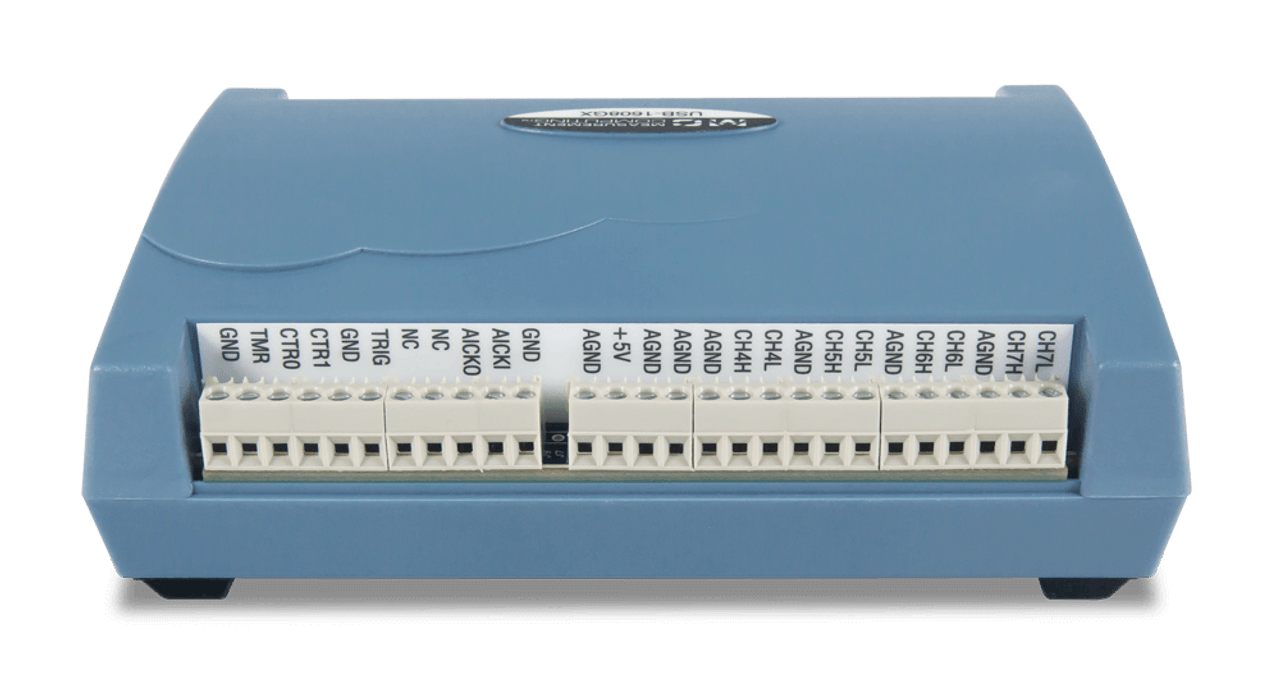
The USB-1608GX-2AO is a multifunction, high-speed, analog and digital I/O USB device. This device offers up to 16 SE/8 DIFF analog inputs, eight digital I/O channels, two counter inputs, and one timer output. The USB-1608GX-2AO features two 16-bit analog output channels with DAC rates up to 500 kS/s.

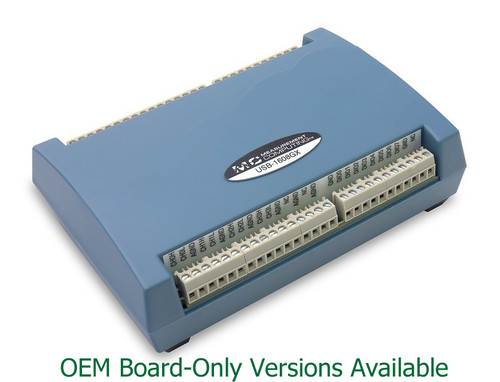
USB-1608G-OEM: DAQ device with 16 SE/8 DIFF analog inputs, 16-bit resolution, 250 kS/s sample rate, 8 digital I/O, and 2 counter inputs. OEM version removes enclosure and screw terminals and adds headers.

USB-1608GX-2AO-OEM: DAQ device with 16 SE/8 DIFF analog inputs, 16-bit resolution, 500 kS/s sample rate, 2 analog outputs, 8 digital I/O, and 2 counter inputs. OEM version removes enclosure and screw terminals and adds headers.

Please note: The USB-1608GX is retired and no longer for sale in our store. 

Software support includes free DAQami software for out-of-the-box data logging, viewing of data, and generating signals. Also included are drivers for the most popular applications and programming languages including Visual C++®, Visual C#®, Visual Basic®.NET, DASYLab®, LabVIEW, MATLAB®, Linux®, and Python.

OEM/Embedded Customers- please contact our dedicated application engineer for volume pricing, OEM/board-only versions of these devices, and assistance with your application. Visit our OEM Board-only page for more product offerings.

  • 16 SE/8 DIFF analog inputs
  • 16-bit resolution
  • 500 kS/s sample rate
  • ±10 V, ±5 V, ±2 V, ±1 V input ranges
  • Two analog outputs (USB-1608GX-2AO only)
  • Eight digital I/O
  • Two counter inputs
  • One timer output
  • No external power required
  • Product Compliance: 
    • HTC: 8471.80.9000
    • ECCN: EAR99
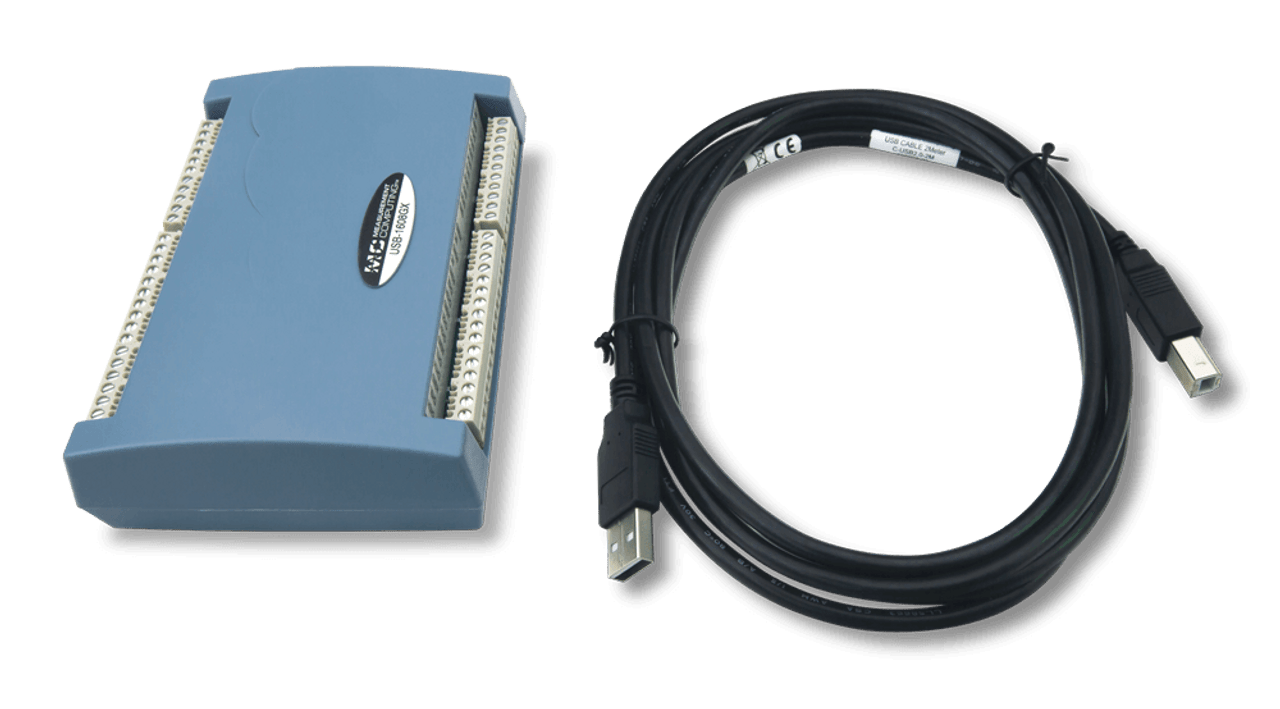
  • USB cable
  • Printed insert: DAQami Quick Start
  • MCC packaging assembly/foam, etc

Prioritizing on ease of use and flexibility, MCC offers out-of-the-box software plus drivers for the most popular programming languages and applications.

Out-of-the-box software includes DAQami for data logging, visualization, and signal generation. For a more full-featured and customizable experience, DASYLab® provides real-time analysis and control, plus the ability to create custom applications without programming.

DASYLab can be purchased directly from Digilent.

For maximum customization, drivers are included for Visual C++®, Visual C#®, Visual Basic®.NET, LabVIEW, MATLAB®, Linux®, and Python.


Out of the Box Software: DAQami - Included

Data Acquisition Companion Software for Acquiring Data and Generating Signals

DAQami is an out-of-the-box application for data logging, visualization, and signal generation. Data can be viewed in real-time or post-acquisition on user-configurable displays. DAQami is ideal for interactive testing, data logging, and developing applications that run for minutes or days.

Supported Operating Systems: Windows® 11/10/8/7/Vista®, 32-bit or 64-bit

English, Chinese, and German language support.

DAQami Datasheet


Custom Applications without Programming: DASYLab® - Optional

Icon-Based Data Acquisition, Graphics, Control, and Analysis Software

DASYLab is an optional software package that offers real-time analysis, control, and the ability to create custom applications without programming. DASYLab is ideal for users that need more functionality than DAQami provides.

Supported Operating Systems: Windows® 11/10/8/7.

DASYLab can purchased directly from Digilent.

Purchase DASYLab
Learn more on Digilent Reference
DASYLab Data Sheet


Programming and Driver Support - Included

MCC programming and driver support is extensive and features comprehensive libraries and example programs for the most popular applications and programming languages including Visual C++®, Visual C#®, Visual Basic®.NET, LabVIEW, MATLAB®, Linux®, and Python.

Learn More About MCC Programming and Driver Support


To learn more about the complete software ecosystem, visit the MCC software page.

MCC Data Acquisition Software

Quickly find what you need to get started and reduce mean time to measure.

All product support including documentation, projects, and reference material can be accessed through MCC resources.

Digilent Forum
MCC DAQ Software
DAQ and Datalogging on Reference

Quick Links

DAQami Software Quick Start
MCC USB-1608GX Product Manual
MCC USB-1608GX-2AO Product Manual
MCC USB-1608G Product Manual
MCC USB-1608G Series Datasheet
USB-1608G-OEM User Manual
USB-1608GX-2AO-OEM User Manual

To find out more about if the USB-1608G Series is right for your project, contact our Sales Team:

Contact Sales
16 Reviews Hide Reviews Show Reviews

  • 5
    A reliable product

    Posted by GJ on 24th Jan 2016

    We've purchased quite a number of this item, and they always operate reliably. We've used Measurement Computing products for many years, and whenever technical phone support is needed, it's always excellent.

  • 5
    This is a reliable and easy to integrate device.

    Posted by ADVL on 9th Jan 2014

    The USB-1608HS-2AO fits the ticket for so many of the Process Control and Test Measurement systems that we develop for internal use. The MCC Universal Libraries allow for quick and easy development in the Visual Studio .NET environment and the USB-1608HS-2AO always works flawlessly.

  • 4
    Good Performance/Price but Not 100% compatible

    Posted by lightyear66 on 2nd Aug 2013

    I am completely happy with the performance of this DAQ. I purchased 2 of them, and the simultaneous channel sampling with high resolution and fast data rates is excellent. The value of this product is quite good compared with competitors; priced less but equal or better specifications. If you do not plan to use MCC software to interface with this device, then I suggest you contact your DAQ software vendor to make sure they support all functionality of the device, including the counter/timer functionality.

  • 5
    Functions perfectly

    Posted by rock1 on 1st Aug 2013

    We've had a long-standing experience with MCC products and this item continues that tradition of excellence. It has enabled us to improve the performance of our device and help us move forward with the technology. The technical support with this company is beyond comparison, always friendly, and extremely helpful.

  • 5
    Functions perfectly

    Posted by rock1 on 1st Aug 2013

    We've had a long-standing experience with MCC products and this item continues that tradition of excellence. It has enabled us to improve the performance of our device and help us move forward with the technology. The technical support with this company is beyond comparison, always friendly, and extremely helpful.

  • 4
    good device, but better documentation needed

    Posted by experix on 18th Mar 2013

    Caveats: I have experience with only a handful of daq devices, and this is the first USB one I have used. Don't give any respect at all to those bar graphs under "product rating" in this review. Physical: convenient, well designed, screw terminals easy to use Hardware: I'm not equipped to verify all the specs, and have not tried all features, but it works as expected. With 16 bits in ADC and DAC rather than 12, it much easier to do some things with this, compared to my old equipment. The USB interface is much easier to use than a PC card interface for which one has to write and maintain a kernel driver., and deal with interrupts. Firmware: It would be very helpful if mccdaq would publish the code and FPGA config, so users could try modifying it. Larger FIFO buffers would be desirable for some uses. There is an issue with control transfers being ignored after a scan has completed but before data has been read out. Continuous scanning is of limited utility because the sample rate cannot be changed (at least I could not do it) without stopping, reading ADC FIFO, reloading DAC FIFO, and restarting, which all takes tens of milliseconds-- enough to make a highly annoying transient when I am trying to evaluate a resonance. Documentation: The manual needs explanations. There are various reset actions, with no hint besides the command name to tell what they do or when to use them. One thing I wrote did not work because I had two of these in the wrong order. A state diagram would be very helpful.

  • 4
    good device, but better documentation needed

    Posted by experix on 18th Mar 2013

    Caveats: I have experience with only a handful of daq devices, and this is the first USB one I have used. Don't give any respect at all to those bar graphs under "product rating" in this review. Physical: convenient, well designed, screw terminals easy to use Hardware: I'm not equipped to verify all the specs, and have not tried all features, but it works as expected. With 16 bits in ADC and DAC rather than 12, it much easier to do some things with this, compared to my old equipment. The USB interface is much easier to use than a PC card interface for which one has to write and maintain a kernel driver., and deal with interrupts. Firmware: It would be very helpful if mccdaq would publish the code and FPGA config, so users could try modifying it. Larger FIFO buffers would be desirable for some uses. There is an issue with control transfers being ignored after a scan has completed but before data has been read out. Continuous scanning is of limited utility because the sample rate cannot be changed (at least I could not do it) without stopping, reading ADC FIFO, reloading DAC FIFO, and restarting, which all takes tens of milliseconds-- enough to make a highly annoying transient when I am trying to evaluate a resonance. Documentation: The manual needs explanations. There are various reset actions, with no hint besides the command name to tell what they do or when to use them. One thing I wrote did not work because I had two of these in the wrong order. A state diagram would be very helpful.